Create an Amazon EBS volume
In this tutorial, you’ll create an Amazon Elastic Block Store (Amazon EBS) volume.
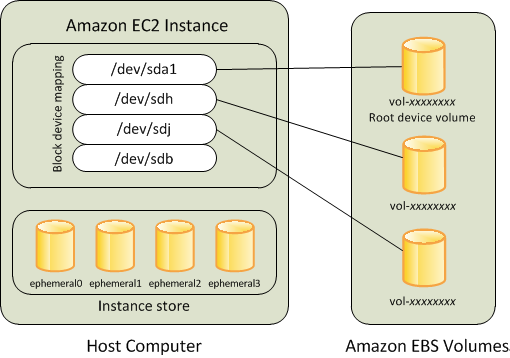
Follow “Create an empty volume” using these instructions. Use the following parameters:
You can find the availability zone for your instance on the EC2 details page under the Networking tab.
| Parameter | Value |
|---|---|
| Region | us-east-1 |
| Volume Type | General Purpose SSD (gp2) |
| Size (GiB) | 10 |
| Availability Zone | (same as the EC2 instance) |
| Snapshot ID | (default empty value) |
| Encryption | (default encryption not marked) |
| Tags | Key=Name, Value=your last name |